
Quotes & Estimates
QUOTES & ESTIMATES · FIELD SERVICE LOGIX
Win the job
from the driveway.
Leave a great impression. Leave a clear quote.
Bring your pricing, customer details, and approvals together—wherever the work takes you.
Your company brand. Your products and services. One connected workflow.

YOUR NEXT QUOTE, CLEARLY LAID OUT
Less back-and-forth.
More ready-to-go.
Give every item a place: products, services, quantities, scope, taxes, and deposit requirements. Keep the customer-facing price clear while reviewing your internal costs.
Start with what you sell.
Use your saved products and services, then adjust quantities and scope for this customer.
Make the details count.
Keep the service property, line items, and statement of work together in one quote.
Know your numbers.
Review internal costs and projected profit alongside the customer’s quote total.
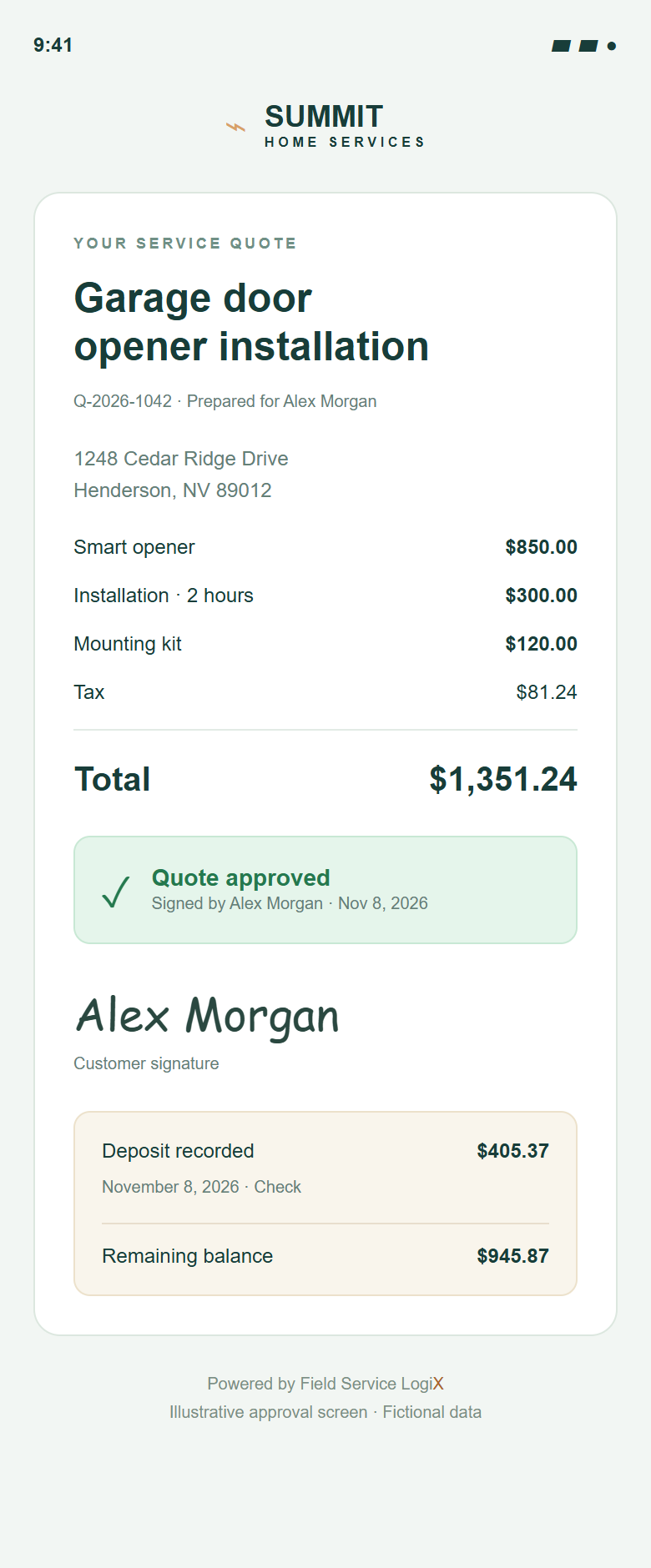
Illustrative mobile approval · Fictional customer and payment
MAKE IT EASY TO SAY YES
Professional on your screen.
Simple on theirs.
Give customers a quote they can understand and an approval they can complete from their phone.
- Your brand, front and center.Present the work under your company name and logo.
- A record of the decision.Keep customer approval, signature, and date with the quote.
- Deposits stay visible.Track recorded payments and the remaining balance as the work moves forward.
- The right job, at the right property.Carry the quoted service address into the job when it is scheduled.
Online payment availability depends on your company’s payment setup. This example shows a manually recorded check deposit.
See the connected platform ↗AFTER THE CUSTOMER SAYS YES
More work?
Keep the agreement clear.
Use Change Requests when approved work needs to change. Keep the approval history and existing deposit connected to the job.
Rescheduling alone doesn’t need a new quote signature. Changes to approved scope or pricing follow the customer approval workflow.
Add an exterior keypad
Additional equipment and installation for the same service property.
Illustrative Change Request summary.
BUILT AROUND THE WAY YOU WORK
A strong quote is only the start.
Reusable catalog
Bring your products, services, and pricing into each new estimate.
Clear scope of work
Explain what’s included, so your customer knows what to expect.
Ask Steve AI drafts
Start a draft from your catalog, then review and edit it before sending.
Optional AI Quote Builder add-onConnected scheduling
Move approved work into a job without losing the customer or property context.
Can I prepare a quote from my phone?
Yes. Use the LogiX mobile workspace to select a customer and property, add products and services, and prepare the quote. Review the details before sharing it.
Will the customer see my internal costs?
Internal cost and projected profit information is for your team. Customer-facing quotes show the agreed scope and selling prices.
What happens to a deposit if the scope changes?
The recorded deposit stays credited. Changes to approved scope or pricing require a new approval through the Change Request workflow.
Does moving a job date remove the approval?
A schedule-only change preserves the quote approval. Changes to the approved commercial terms are handled separately.
Is Ask Steve AI Quote Builder included?
AI Quote Builder is an optional add-on. Its drafts should always be reviewed for items, quantities, scope, and pricing before you send them to a customer.
SHOW UP READY. FOLLOW THROUGH CONFIDENTLY.
Your next great job
starts with a clear quote.
Bring a little more order to every opportunity.